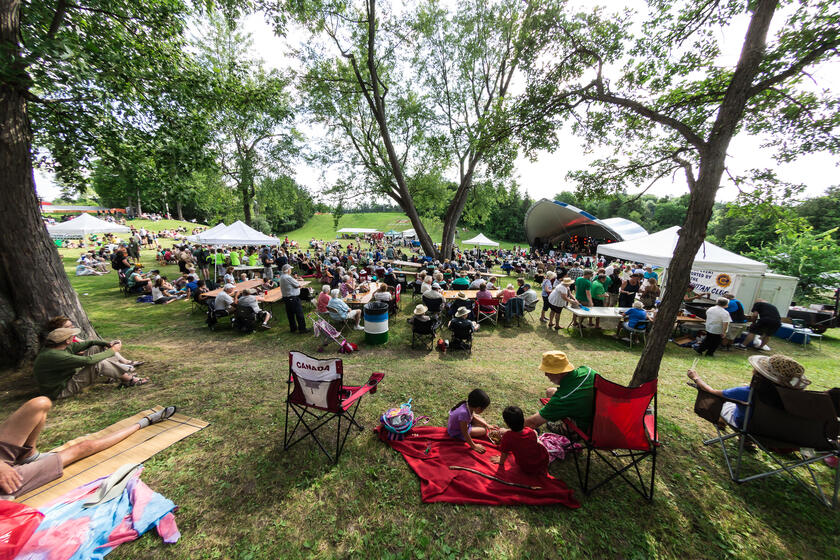
Celtfest, Almonte, Lanark County
Expand Your Event Reach with ComeWander.ca's New Events Calendar
If you are an event organizer, festival coordinator, community group or tourism partner in Ontario’s Highlands, we have great news! The Ontario’s Highlands Tourism Organization (OHTO) has launched a new events calendar on ComeWander.ca, designed to help promote festivals, events and experiences taking place across the region.
As part of ComeWander.ca's ongoing evolution as OHTO's consumer-facing content marketing platform, the new Festivals & Events page will serve as a central hub where visitors can discover what's happening throughout Ontario's Highlands year-round.
Why List Your Event?
Events play a vital role in attracting visitors, supporting local businesses, and creating memorable experiences that encourage travellers to explore the region.
By adding your event to ComeWander.ca, you'll benefit from:
- Increased visibility to travellers planning trips across Ontario's Highlands
- Additional promotional opportunities through OHTO's marketing channels
- Inclusion in a regional events calendar designed to inspire visitation
- A streamlined process for managing event information through the OHTO Member Portal
Powered by Whereabouts Integration
The new events listings are made possible through OHTO's integration with the Whereabouts Member Portal, making it easy for tourism partners and event organizers to submit and manage events.
How to Submit Your Event
There are two ways to add your event:
Option 1: Submit Through ComeWander.ca
Visit the Festivals & Events page on ComeWander.ca and click the "Add Your Event" button.

A convenient slide-out submission form will appear, allowing you to enter your event details directly through your browser.
This option is ideal for organizers who want to quickly submit an event. Please note that any future edits or management of the event listing submitted through ComeWander.ca must be completed through the Whereabouts Member Portal.
Option 2: Manage Events Through the OHTO Member Portal
For organizations managing multiple events or looking for more control, events can be added directly through the OHTO Member Portal (Whereabouts).
When editing your listing, you'll now see a dedicated Events tab where you can:
- Add and manage multiple events
- Link events to your County DMO listing
- Update event information as needed
- Assign events to specific organizers when applicable

Special Note for Municipal or DMO Partners: Municipalities and Destination Marketing Organizations can input events through their own profile by assigning events to specific organizers if they are not a municipal or county-managed event. To do so, access the drop-down menu pre-populated with operators and community organizers and select your partner. When an event is assigned to an organizer it can also appear on their listing, allowing them to manage updates through their own Whereabouts account.
This approach helps ensure event information remains accurate and up to date while increasing exposure across the platform.
Make Your Event Stand Out
While event images are not required, they are strongly recommended. To create the best possible experience for visitors browsing the events calendar, we recommend:
- Uploading at least one high-quality image
- Choosing images with little to no text overlay (ie. avoid posters)
- Using visuals that clearly represent the event experience

Please note: If multiple images are uploaded, the first image will automatically become the featured image for the event listing. If no image is provided, a default OHTO image will be displayed instead.
Start Sharing Your Events
The new Events Calendar is another way OHTO is helping tourism partners increase visibility, reach new audiences, and encourage more visitors to plan a visit or trip to Ontario’s Highlands.
For questions about event submissions or the OHTO Member Portal, please contact membership@ohto.ca.